Leer este artículo en español →
Microsoft Foundry is the platform in Microsoft's cloud for building, connecting and governing AI agents. It used to be called Azure AI Foundry. Building one agent is easy. The hard part comes when a company has twenty, each with its own model, its own connections to company systems and its own idea of what it is allowed to do. Foundry is Microsoft's answer to that problem. Here is what it is, where it sits and the four pieces you need to understand.
Joaquín País, CEO of ShowerThinking, also explains it on video:
What is Microsoft Foundry?
Microsoft describes it as a platform for building AI agents, models and apps that brings agents, models and tools under one management layer. The name has changed twice: it started as Azure AI Studio, became Azure AI Foundry and is now Microsoft Foundry. Older documentation uses any of the three.
We find it easiest to think in layers. Every big cloud now has a layer for building and running agents, and in Microsoft's cloud that layer is Foundry. Below it are the models and the company data. Above it are the places where people actually work, like Teams and Microsoft 365 Copilot. Foundry sits in the middle: it is where you build the agents, connect them to what they need and keep them under control once they are live.
The four pieces of Microsoft Foundry
1. Models: the model catalog
Foundry is not tied to one provider. Besides Microsoft and OpenAI models, the catalog includes Claude from Anthropic and models from Meta, Mistral, DeepSeek, Cohere and others. You can compare them side by side on real tasks and with your own data before you choose, which matters: the best model for summarizing a long document is often not the best one for a quick classification. When a better model comes out, you swap it in the agent instead of rebuilding the agent.
2. Agents and workflows
In Foundry an agent is a set of instructions, a model, the knowledge it can read and the tools it can use. You test it in a playground, and when one agent is not enough you build workflows: several agents passing work to each other with conditions in between, like a research agent that hands its findings to a reviewer.
3. Tools and MCP
Tools are the agent's hands, the way it reads from a system or does something in it. Most of them are now built on MCP, the Model Context Protocol. And this is where the usual problem shows up: every agent ends up with its own connectors.
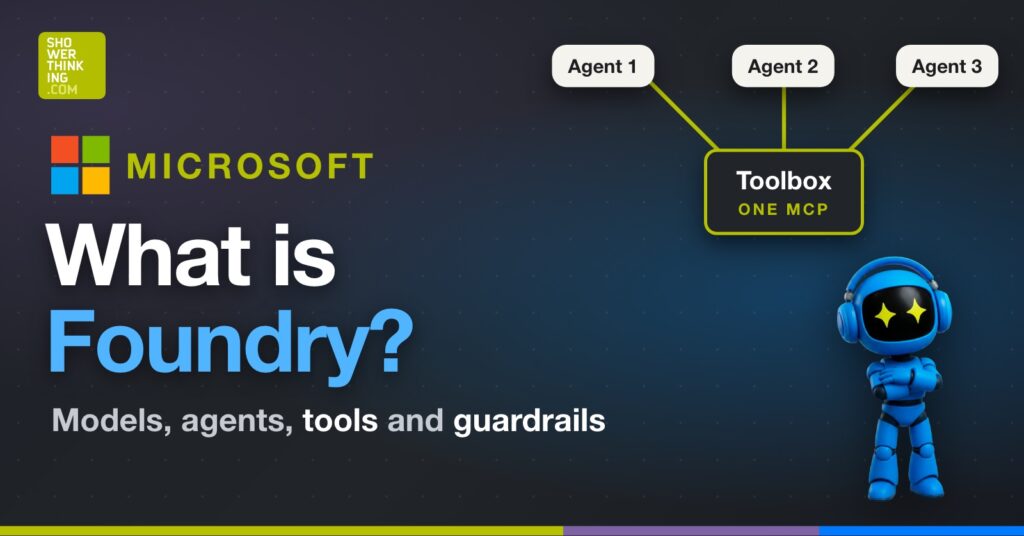
Take a pharma company with three agents. One prepares visit briefings for the field team, one answers medical information questions and one checks promotional material. All three need the approved content library and the CRM. Without a shared layer, that is six connections, six sets of credentials and six places to fix when something changes.
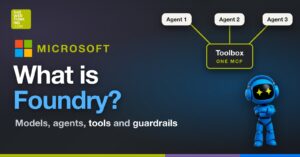
Foundry solves this with the toolbox. You define the tools once, the toolbox exposes all of them behind a single managed MCP endpoint, and any agent can use it. Credentials are managed in one place, with Microsoft Entra ID or by passing the user's identity through OAuth, and if you change a tool every agent gets the change without touching its code. A toolbox can hold MCP servers, OpenAPI APIs, other agents through A2A, web search and Foundry's knowledge sources, among others.
In our view this is the piece that changes the cost of running many agents the most: you stop building one connector per agent and start building a catalog of tools the whole company shares. It is the same idea we described in the Enterprise AI Harness, a common layer between AI and business systems.
4. Guardrails
A guardrail in Foundry is a named set of controls, and each control says three things:
- Which risk you look for. Harmful content, attacks hidden in the prompt or in a document the agent reads, protected material or personal data.
- Where you check it. In what the user writes and what the agent answers, and with agents also in what the agent sends to a tool and what the tool sends back.
- What you do when you find it. Annotate it or block it.
One guardrail can be applied to as many models and agents as you want, so the rules are written once, not agent by agent.
Everything around the four pieces
Around those four pieces is what you need to run agents for real. Every step an agent takes is traced, you can run evaluations before and after you publish, and there is a control center with all your agents, what they cost, the alerts and the policies they have to follow. When an agent is ready, you publish it to Teams or Microsoft 365 Copilot, where people already work. If your CRM is Salesforce, the Copilotforce partnership brings its data into those same places.
Where to start with Microsoft Foundry
Our advice is simple: pick one process, build one agent and put its tools in a toolbox from day one. With a single agent you barely notice. The difference shows up with the second one, which reuses everything you already connected.
Frequently asked questions
Is Microsoft Foundry the same as Azure AI Foundry?
Yes. It is the same product under its new name. Before Azure AI Foundry it was called Azure AI Studio.
Which models can you use in Microsoft Foundry?
Microsoft and OpenAI models, and also models from Anthropic, Meta, Mistral, DeepSeek, Cohere, Hugging Face and NVIDIA, among others. Some are sold directly by Azure and others come from partners and the community.
What is a toolbox in Microsoft Foundry?
A set of tools exposed to agents behind a single MCP endpoint. You define the tools once, every agent uses them, and you can add, remove or update them without changing any agent's code.
What does a Foundry guardrail control?
Risks such as harmful content, attacks in prompts and documents, protected material or personal data, in user input, in the output and, for agents, in tool calls and tool responses. It can annotate or block.
Where do agents built in Foundry run?
They can be published to Microsoft Teams and Microsoft 365 Copilot, and used from your own applications.
Sources
- Microsoft Learn, "What is Microsoft Foundry"
- Microsoft Learn, "Foundry Models overview"
- Microsoft Learn, "Toolbox overview"
- Microsoft Learn, "Guardrails overview"
- Microsoft Mechanics, "Microsoft Foundry - AI app & agent factory", December 3, 2025
- Microsoft Developer, "A unified MCP layer with Toolboxes in Microsoft Foundry", September 9, 2026
- Microsoft Ignite 2026, session BRK240, November 18, 2026
How ShowerThinking can help
At ShowerThinking we design and build agents on the cloud each company already uses, with shared tools and controls in place from the start. If you want to see which process could become your first agent in Microsoft Foundry, get in touch and we will look at it in a 30-minute session.