Leer este artículo en español →
Salesforce AIforce is a live interface layer that brings the full power of Salesforce to wherever people and agents work. In practice, the same Salesforce data, workflows and permissions show up inside Claude, inside Slack, inside Microsoft Teams and inside Salesforce itself, so nobody has to go back to the CRM to get something done. This article explains why Salesforce built it, how it relates to Claudeforce, how it works underneath and who controls what the agents can see and do.
Joaquín País, CEO of ShowerThinking, also explains it on video:
What is Salesforce AIforce?
For years, working with Salesforce meant opening Salesforce: a list of accounts, a customer record, a dashboard. AIforce is Salesforce accepting that a growing part of the work no longer starts on that screen. It starts in a conversation with an AI assistant or in a chat channel.
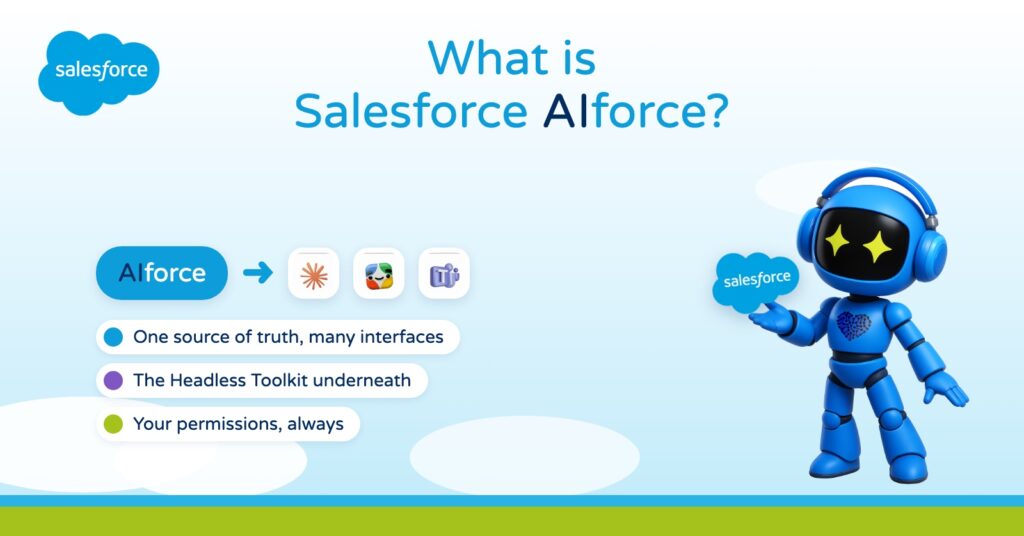
Instead of asking everyone to come back to the CRM, AIforce takes the CRM to them. Three things sum it up:
- One source of truth. The records stay in Salesforce. Every interface reads and updates the same data.
- Many interfaces. Claude, Slack and Slackbot, Microsoft Teams and Agentforce Coworker inside Salesforce.
- The same rules. Every request runs on the permissions and business rules the company already has.
Why it exists: the model isn't enough
A large company runs dozens of separate business applications. The AI model inside an assistant is very capable, but on its own it knows nothing about the business: not the customers, not the workflows, not the rules, and not who is allowed to see what.
Salesforce sums up the problem in four words: the model isn't enough. An agent needs a way into the company that is not a screen designed for a person clicking through it. AIforce is meant to be that way in.
One source of truth, many interfaces
The idea behind AIforce fits in one sentence from the keynote where Salesforce presented it: choose where you work, with a single source of truth.
Picture a team where everyone lives in a different tool. The account manager works in Claude, operations coordinate in a Slack channel and the people in the field ask their questions from Teams. Until now, each of them either logged into the CRM or worked from an exported copy of the data that was already out of date. With AIforce they stay where they are, and they all work on the same records.
AIforce vs Claudeforce
Claudeforce, Salesforce inside Claude, was the first and most visible piece of this approach. AIforce is the layer underneath it, and it turns Claude into one interface among several.
That is the bet. Salesforce lists Anthropic, OpenAI and Google among the partners of its agent ecosystem, and does not tie the CRM to any single assistant. Whichever assistant a company ends up choosing, the customer record behind it stays in Salesforce.
How AIforce works: the Headless Toolkit
Underneath AIforce sits what Salesforce calls the Headless Toolkit, the open architecture that exposes every element of the platform without its screens. It comes in four pieces:
- APIs and MCP servers. Any AI model can reach Salesforce data and actions through MCP, the Model Context Protocol.
- Skills. Packaged business know-how that an agent can reuse.
- Plugins for the assistants themselves.
- Widgets. Small pieces of Salesforce interface that appear inside the conversation.
Behind all of it sit Customer 360, with the applications and the meaning of the data, and Data 360, which brings the data itself together. If you want a refresher on that data layer, we covered it in What is Salesforce Data 360?, formerly Data Cloud. The same approach also reaches marketing, with MCP connectors for Marketing Cloud, which we touched on in What is Salesforce Marketing Cloud Next?
Who controls the agents
The obvious worry is control. If Salesforce can be reached from everywhere, who decides what an agent can see and do? Salesforce gives three answers, plus one about the model provider:
- Your permissions. Every request runs on the permissions and business rules you already have. An agent sees only what the person asking can see, and there is no new permission model to migrate.
- Agent identity. Agents get their own identity inside Salesforce, linked to a human, and every action they take is stamped and traceable.
- Observability. Each agent session is traced down to the individual MCP call, so when something fails you can see which step it was.
- Zero Data Retention. The model provider does not keep your business data.
What changes in a real process
Take something that goes wrong overnight: a batch of customer records changed in a way it should not have, and people will run into it in the morning.
Without AIforce, someone spots the problem, opens Salesforce, finds the records, writes to the team in Slack and opens an incident by hand, copying the same information from one place to the next.
With AIforce, the assistant in the team's Slack channel reads the records, explains what changed and offers to open the incident with the details already filled in, all under the permissions of the person who asked. Nobody leaves the conversation, and the record in Salesforce is still the one that counts. This is the kind of scenario Salesforce showed in its AIforce keynote, with Slackbot catching an operations issue and raising the incident from the channel.
Before you start with AIforce
- Clean up your permissions. AIforce respects them exactly as they are, including the ones nobody has reviewed in years.
- Find out where your people actually work. The value comes from meeting them in the tools they already use. One more tool to open helps nobody.
The first point is the one most companies underestimate. An agent that inherits messy permissions does not create a new problem, it just makes the old one visible faster.
Salesforce AIforce FAQ
What is Salesforce AIforce?
It is a live interface layer that brings the full power of Salesforce to wherever people and agents work. Salesforce data, workflows and business logic become available inside Claude, Slack, Microsoft Teams and Agentforce Coworker.
What is the difference between AIforce and Claudeforce?
Claudeforce, Salesforce inside Claude, is one piece of AIforce. AIforce is the layer underneath that makes Claude one interface among several, next to Slack, Teams and Salesforce itself.
Is AIforce only for Claude?
No. Claude is one of the interfaces. Slack, Microsoft Teams and Agentforce Coworker inside Salesforce are others, and Salesforce lists Anthropic, OpenAI and Google among the partners of its agent ecosystem.
How does AIforce work?
It is built on the Headless Toolkit, which exposes the Salesforce platform through APIs and MCP servers, skills, plugins and widgets, on top of Customer 360 and Data 360.
Is AIforce secure?
Every request runs on the permissions and business rules the company already has, so an agent sees only what the person asking can see. Agents have their own identity linked to a human, every action is traceable, sessions are traced down to each MCP call and, with Zero Data Retention, the model provider does not keep business data.
Where should I start with AIforce?
With permissions: review them before anything else, because AIforce applies them exactly as they are. Then bring Salesforce to the tools your teams already use.
Sources
How ShowerThinking can help
At ShowerThinking we are Salesforce partners and Claude partners, and connecting the two is a big part of our client projects. If you want to bring Salesforce to the tools your teams already use, get in touch and we will go through it in a 30-minute session.