Leer este artículo en español →
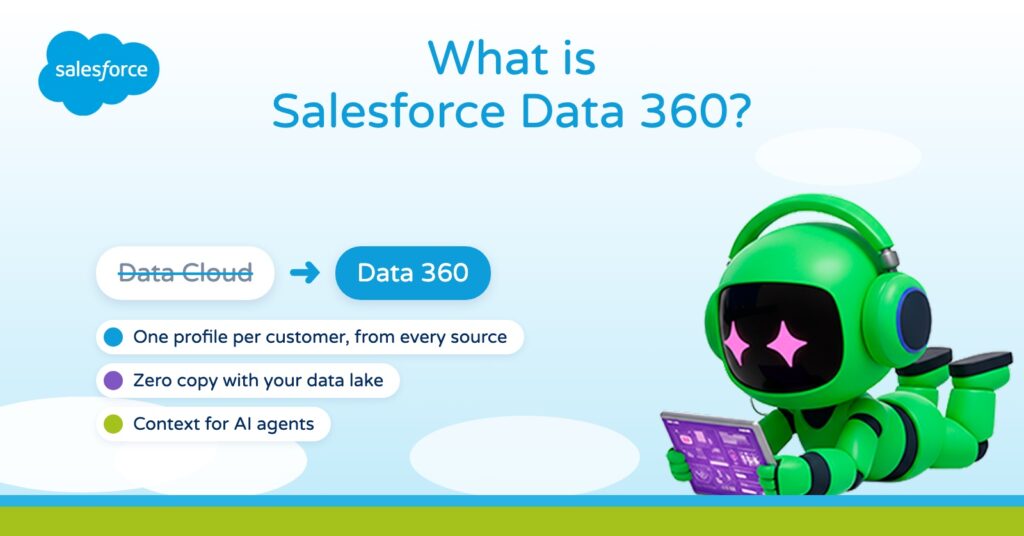
Salesforce Data 360, formerly Data Cloud, is the real-time data engine that powers the entire Salesforce platform. It takes the customer data spread across your CRM, website, app, marketing, service and data lake, brings it into one profile of each customer, and puts that profile to work in sales, service, marketing and AI agents. This article covers the names it had before, the problem it solves, how it works in five steps, what zero copy means and why it matters more now that agents do part of the work.
Joaquín País, CEO of ShowerThinking, also explains it on video:
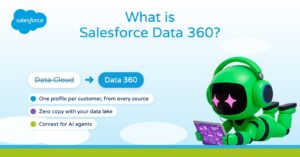
What is Salesforce Data 360?
Ask any company where its customer data lives and you rarely get one answer. The website is in one system, the service cases in another, the mobile app in a third, and the history sits in a data lake that only the analysts open.
Data 360 is Salesforce's answer to that. In Salesforce's own words, it is "the real-time data engine that powers the entire Salesforce platform". It connects the sources, builds one profile per customer, and makes that profile available to people, automations and agents.
Data 360, Data Cloud, Salesforce CDP, Genie: one platform
If you have worked with Salesforce for a while, you know it by other names. Each one tells you what the product was trying to be at the time:
So if you read about Data Cloud, Salesforce CDP or Genie, you are reading about the same platform. Salesforce says so on its own site: Data 360 is the official new name for what was previously called Data Cloud. Our earlier explainer from the Data Cloud days is still here: What is Data Cloud?
The problem it solves: one customer, many versions
The problem is old, and it looks much the same in almost every company:
- The CRM holds the accounts, the contacts and the conversations with your teams.
- The MDM, the master data system, holds the official version of each customer: the right name, the right address and the ID that identifies them.
- The marketing platform knows which emails they opened and which events they attended.
- The service tool has their cases.
- The data lake keeps the history and the analytics.
Each system describes the same customer in its own way, with its own fields and its own IDs. In pharma, for example, the same doctor shows up in the CRM, in the MDM and in the marketing platform, and the three rarely agree. Even when someone brings it all together in a report, it is hard to use at the moment that customer is on the phone or on the website. As Salesforce's own developers put it, data integration is both complex and vital.
How Data 360 works, in five steps
- Connect. It brings in data from Salesforce, from other applications, from websites and mobile apps, and from cloud storage, in batches or as a live stream.
- Harmonize. It maps each source to a common data model, so a customer, an email address or a website visit means the same thing everywhere. A contact in Sales Cloud and a subscriber in Marketing Cloud become the same thing.
- Unify. Identity resolution matches the records that belong to the same person, across devices, channels and even anonymous visits, and builds one profile.
- Analyze and predict. On top of that profile you get segments, insights and AI predictions.
- Act. The result goes back into the flows, apps and journeys where people work, so they can use it straight away.
What is zero copy in Data 360?
One detail changes a lot of projects. Most large companies already have a data lake in Snowflake, Databricks or Google BigQuery, with years of history and analytics in it.
With zero copy, Data 360 reads that data where it is, without copying it and without building a new pipeline to move it, and it can share its own data back to those platforms. For an IT team that spent years on its data lake, a new project becomes a connection.
Why AI agents need Data 360
An agent is only as good as the context you give it. The model knows a lot about the world and nothing about your customer: not their last case, not the documents you sent them. Salesforce puts it plainly: "agents need context to take action".
That is the new job of Data 360:
- Unstructured data. Beyond records, it processes PDFs, knowledge articles and call transcripts and turns them into context an agent can use. Salesforce calls this part Intelligent Context.
- The same permissions. That context follows the same permissions as the rest of the data.
- Outside Salesforce. Through MCP and its APIs, any authorized assistant can use it: Agentforce, Slackbot, Claude or ChatGPT.
It is the same idea we covered in What is Salesforce AIforce? and in the Enterprise AI Harness: the data stays in Salesforce, and whichever assistant each person uses reaches it there.
What changes in a real process
Take a service process. A customer contacts support because a product they use has stopped working.
Without unified data, whoever picks it up, human or AI, sees the case and little else. They ask for details, search two other systems, and maybe send instructions the customer already tried.
With Data 360, the profile is there when the case opens, matched to the customer's master record: which product they have, the help pages they read last night, and an earlier case about the same problem. The AI agent handles the simple part and hands the hard part to a person with the whole story written down. When the case closes, that interaction goes back into the profile, so marketing does not send that customer a promotion for the product that just failed them.
Before you start a Data 360 project
- One use case with an owner. Like the service example, not "unify all our data".
- One customer ID. Decide how you will recognize the same customer across systems. If you have an MDM, its identifier is usually the place to start: identity resolution is only as good as the identifiers you give it.
- Your data lake. List what you already have, because with zero copy you may not need to move it.
The second point is the one that delays most projects. Without a clear customer key, the unified profile merges people who are not the same, or splits one person in two.
Salesforce Data 360 FAQ
What is Salesforce Data 360?
It is the real-time data engine of the Salesforce platform. It connects data from Salesforce, other applications, websites, apps and data lakes, and unifies it into one profile per customer.
Is Data 360 the same as Data Cloud?
Yes. Data 360 is the new name of Salesforce Data Cloud. Before that the platform was called Customer 360 Audiences, Salesforce CDP, Marketing Cloud Customer Data Platform and Genie.
How does Data 360 work?
In five steps: it connects the sources, harmonizes them into a common data model, unifies each person's records with identity resolution, analyzes and predicts with segments, insights and AI, and acts through flows, apps and journeys.
What is zero copy in Data 360?
It is a way to use data that already lives in Snowflake, Databricks or Google BigQuery without copying it or building a new pipeline. Data 360 reads it where it is and can share its own data back.
Why do AI agents need Data 360?
Because they need context to act. Data 360 turns records and unstructured content into context, with the same permissions as the rest of the data, and makes it available to Agentforce, Slackbot, Claude or ChatGPT through MCP and APIs.
Is Data 360 useful if I don't use Marketing Cloud?
Yes. It started in marketing, but since Genie it has worked for sales, service, commerce and agents. Marketing is one use among several.
Sources
- Salesforce, Data 360
- Salesforce Developers, "What is Data Cloud? | Data Cloud Decoded"
- Salesforce, "Activate Trusted Data Everywhere", Data Cloud Keynote, Dreamforce 2025
- Salesforce, Genie at Dreamforce 2022
- TechTarget, Customer 360 Audiences renamed Salesforce CDP, 2021
- Info-Tech, Data 360 at Dreamforce 2026: MCP server and zero copy with BigQuery
How ShowerThinking can help
At ShowerThinking we are Salesforce partners, and the data layer is where most of our client projects start, long before the first agent goes live. If you want to get your customer data ready for AI to work with, get in touch and we'll look at it together in a 30-minute session.